Getting started
Sign up, choose a plan, and follow the setup guide on Home.
Sign up with your company name and choose a plan. Paid plans start with a 7-day free trial and no card is needed. You then land on Home, where the setup guide lists the first five things to do and ticks them off as you go.
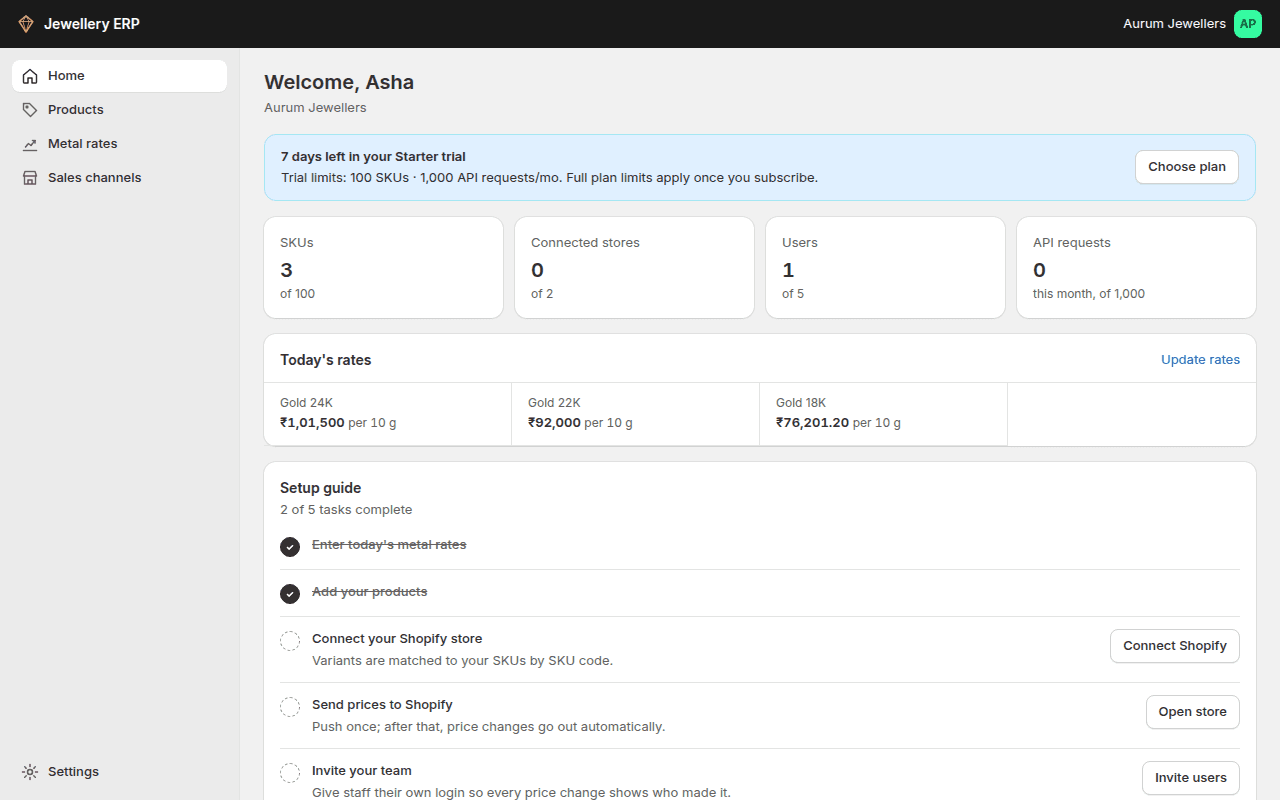
- Enter today's metal rates.
- Add your products and their make-up.
- Connect Shopify or Zoho Books.
- Send prices to your store.
- Invite your team.
Finding your way around
| Menu | What it's for |
|---|---|
| Home | Counts, today's rates, setup guide, API usage and your plan |
| Products | Your products and SKUs. Under it: Repricing and Price history |
| Metal rates | Today's rates. Under it: Rate history |
| Sales channels | Your connected Shopify stores and Zoho Books |
| Settings (bottom left) | General, Plan and billing, Users, Masters, Pricing, API keys |
On a phone, open the menu with the button at the top left.