Metal rates
Enter one rate per metal each day; every purity follows.
Enter one rate per metal each day, for its purest grade, and every other purity follows. Open Metal rates from the left menu.
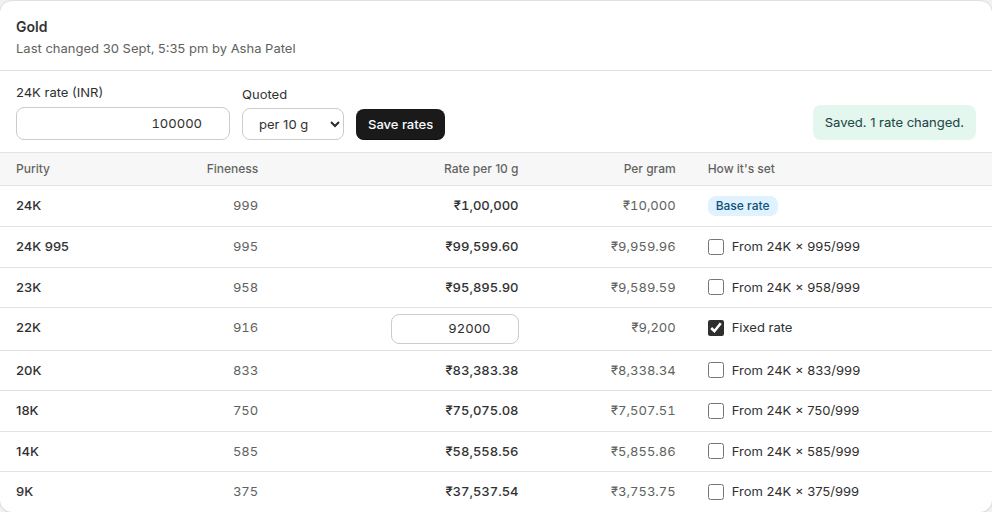
- Type today's rate for the base purity: 24K for gold, 999 for silver, PT950 for platinum.
- Check the unit under Quoted. Gold is per 10 g, silver per kg and platinum per gram, as the Indian market quotes them. You can change it.
- Watch the other purities update as you type. Each shows how it's worked out, for example "From 24K × 916/999".
- If your market's rate for a purity isn't the exact ratio, tick its box and type the rate yourself. It stays fixed until you untick it.
- Click Save rates.
Rate history
Every change is kept under Metal rates → Rate history: old rate → new rate, the % change, who changed it, whether it came from the dashboard or the API, and the time. Filter by metal at the top. Saving without a change records nothing.
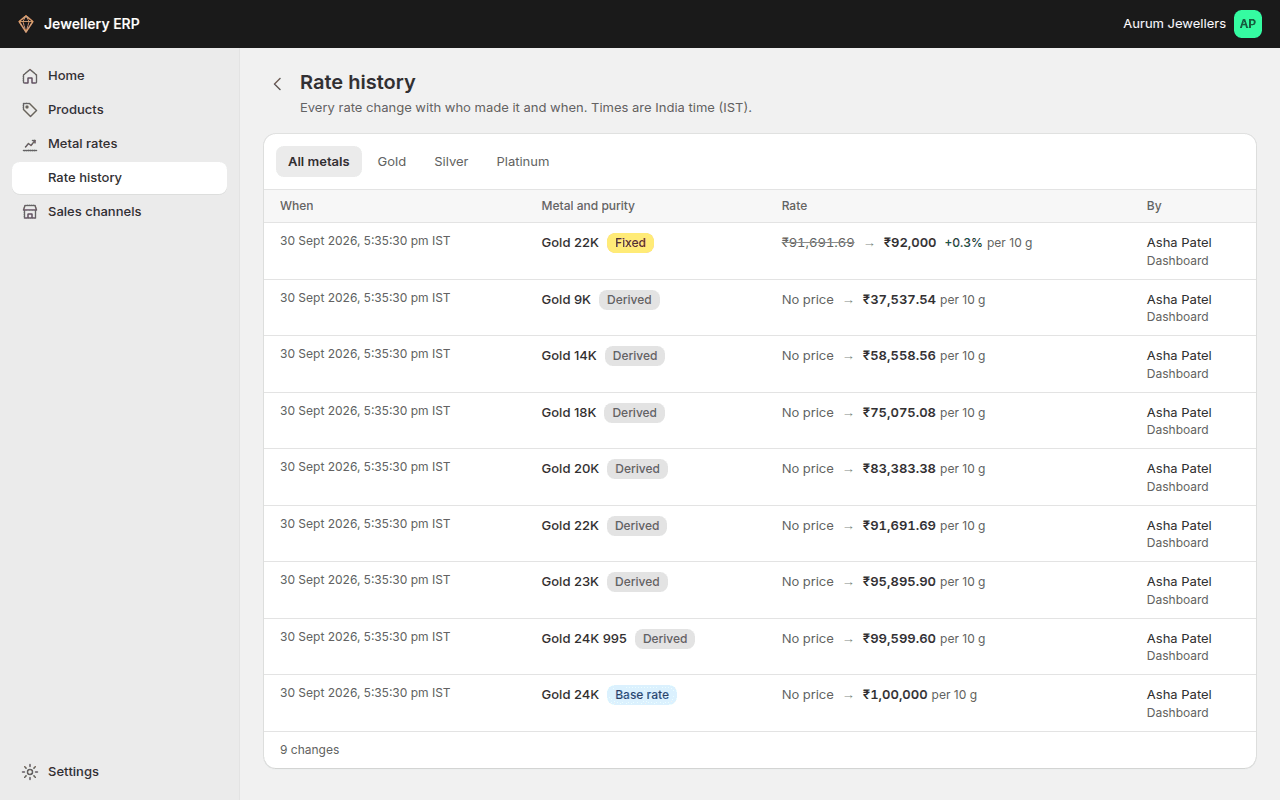
Saving new rates recalculates every product made of that metal. See Repricing. Only the owner or an admin can change rates; staff can view them.