Products and make-up
Add products and record what each SKU is made of.
A product, such as "Solitaire ring", has one or more SKUs, each with its own code and price. A SKU's make-up (its metal, weights, stones and charges) is what its price is worked out from.
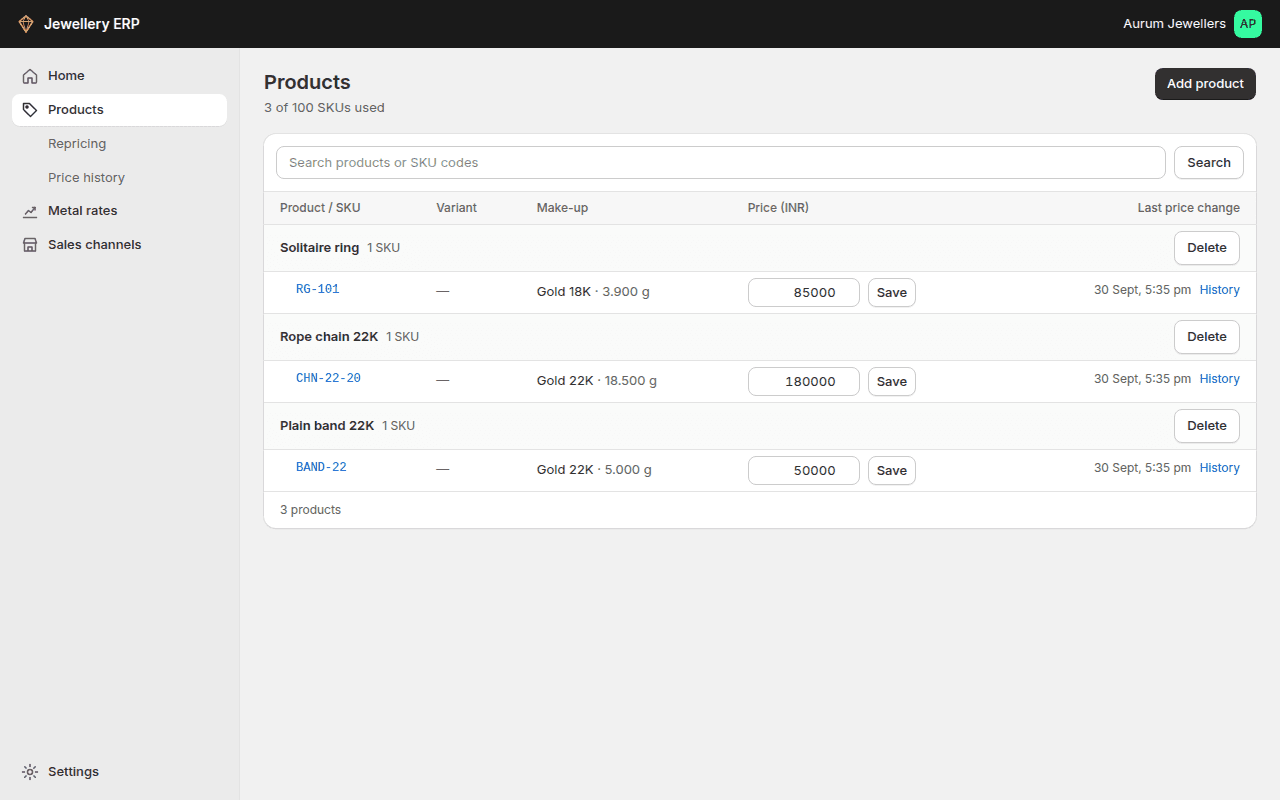
- Add product (top right) creates a product with its SKUs. Or connect Shopify and import your catalogue.
- The Make-up column shows the metal and net weight, or an Add make-up link.
- Click a SKU code to open its page.
Filling in the make-up
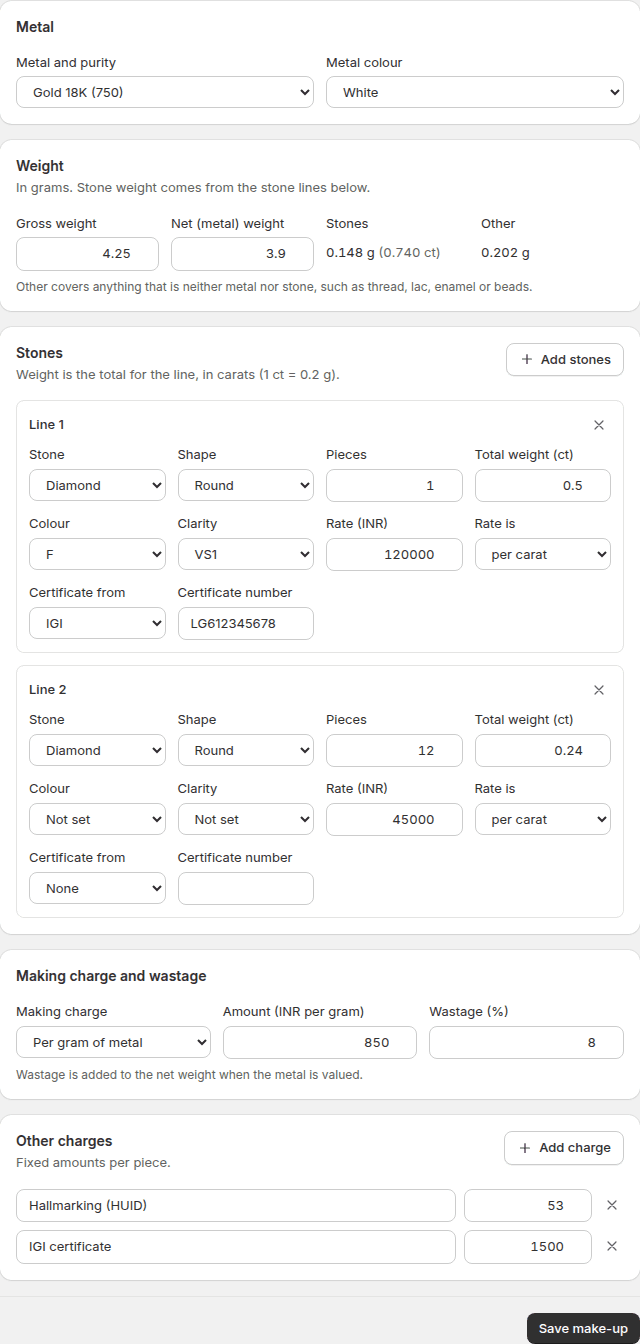
On the SKU page, fill in the parts that apply and click Save make-up.
| Part | What to enter |
|---|---|
| Metal | Metal and purity (for example Gold 18K), and colour |
| Weight | Gross weight (the whole piece) and net weight (metal only), in grams. Stone weight and "other" weight (thread, lac, enamel) are worked out for you |
| Stones | One line per kind of stone: type, shape, pieces, total carats (1 ct = 0.2 g) and a rate per carat or per piece. Diamonds also take colour and clarity; other stones take a quality such as "AA Burmese". Add a certificate lab and number if there is one |
| Making charge | Per gram of metal, a % of the metal value, or a fixed amount per piece |
| Wastage | A %, added to the net weight when the metal is valued |
| Other charges | Fixed amounts per piece, such as hallmarking (HUID), certification or packaging |
The page checks your numbers: metal plus stones can't weigh more than the gross weight, and colour and clarity are only for diamonds. If something needs fixing, the page takes you to that field.